How to set up Continue.dev with Ollama for completely offline codebase chat
Local models still trail Claude on multi-step reasoning, but for regulated environments where code genuinely can't leave the machine, that tradeoff is well worth making.
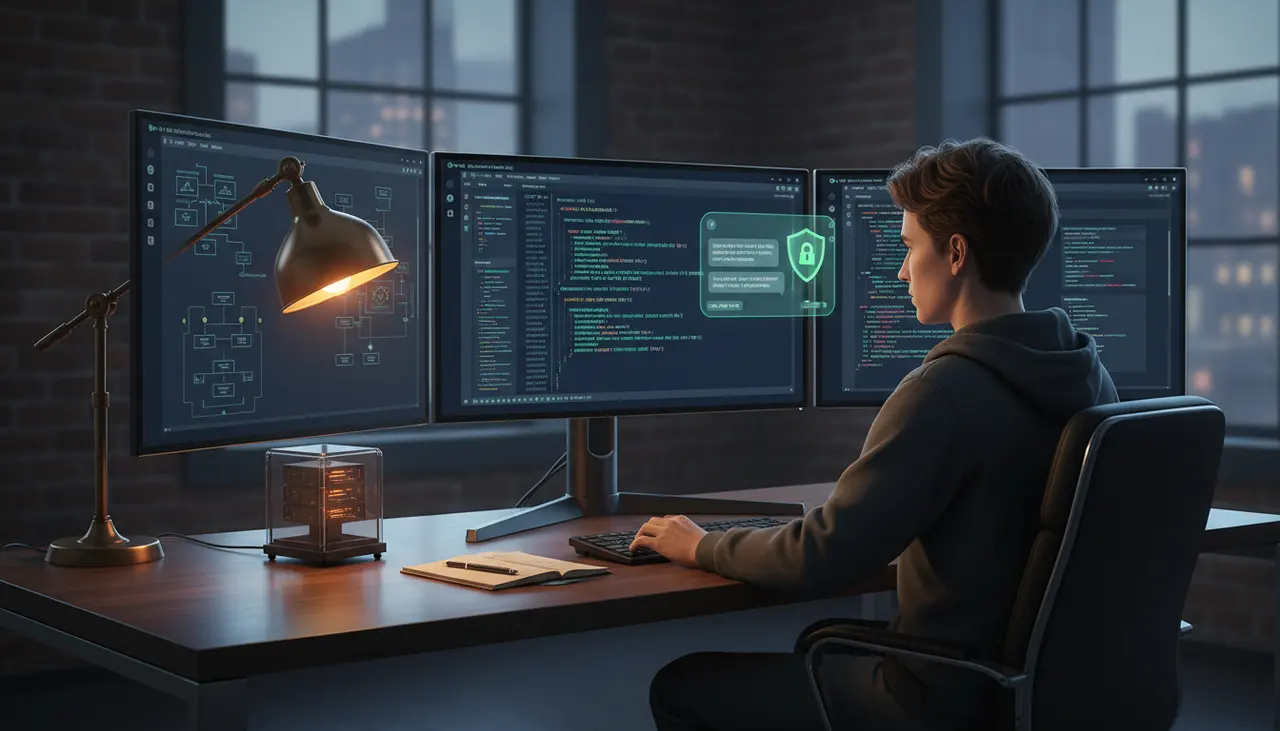
How to Set Up Continue.dev with Ollama for Completely Offline Codebase Chat
Continue.dev can run entirely against a local Ollama instance, with chat, autocomplete, and codebase-aware retrieval all routed through localhost so no code or prompt ever leaves the machine. The setup takes about twenty minutes: install Ollama, pull a coding model for autocomplete and a general-purpose model for chat, add a local embeddings model, and point Continue's config at your Ollama server. The tradeoff is real and worth stating up front: local models trail Claude 3.5 Sonnet and similar cloud models on multi-step reasoning, so you're buying privacy at the cost of some capability.
This matters for regulated environments, government contracts, or any codebase where "send our source to a third-party API" is a non-starter regardless of how good the model is. If that's your situation, this setup is the right call. If you're just trying to save API costs on a project with no data restrictions, you'll probably be happier paying for a hosted model and skipping the hardware investment.
Installing Ollama and pulling the right models
Ollama installs with a single script on macOS and Linux, or a native installer on Windows. Full instructions and the Docker image are in Ollama's GitHub repository, which is also where you'll find the REST API reference if you need to script anything beyond what Continue exposes in its UI.
Once it's running (Ollama serves on localhost:11434 by default), pull three models:
1ollama pull qwen2.5-coder:7b2ollama pull llama3.1:8b3ollama pull nomic-embed-textThat gives you a fast fill-in-the-middle model for autocomplete, a general chat model, and a dedicated embeddings model. Don't try to make one model do all three jobs. Autocomplete needs sub-second responses and a model trained on fill-in-the-middle objectives; chat needs more context and better instruction-following; embeddings need a model built specifically to produce vector representations, not text completions.
Which models actually work for this?
For autocomplete, the Qwen2.5-Coder model card is a reasonable starting point. The Qwen2.5-Coder family was trained specifically on code and supports the kind of fill-in-the-middle completion that tab-autocomplete needs, and the 7B size runs fast enough on consumer GPUs to not introduce visible lag. If you're on a laptop with limited VRAM, drop to the 1.5B variant; it's noticeably worse at completing complex expressions but still faster than nothing, which matters more for autocomplete than raw quality does.
For chat, Llama 3.1 8B is a solid default: it handles instruction-following, has a large enough context window for typical file-level questions, and runs comfortably on 8GB of VRAM at 4-bit quantization. If your hardware allows it, stepping up to a 70B variant or a larger Qwen2.5-Coder checkpoint noticeably improves multi-file reasoning, but you're now talking about workstation-class GPU memory, not a laptop.
Don't use the same 7B autocomplete model for chat. It technically works, but Qwen2.5-Coder's smaller checkpoints are tuned for completion, not conversation, and you'll get worse answers to "why is this test failing" than a general chat model would give you.
Wiring Continue.dev to Ollama
Continue's configuration lives in a file at ~/.continue/config.json (newer versions also support a YAML equivalent, but the JSON schema still works and is what most existing setups use). The relevant fields route different request types to different local endpoints:
1{2 "models": [3 {4 "title": "Llama 3.1 8B (local chat)",5 "provider": "ollama",6 "model": "llama3.1:8b",7 "apiBase": "http://localhost:11434"8 }9 ],10 "tabAutocompleteModel": {11 "title": "Qwen2.5-Coder 7B (autocomplete)",12 "provider": "ollama",13 "model": "qwen2.5-coder:7b",14 "apiBase": "http://localhost:11434"15 },16 "embeddingsProvider": {17 "provider": "ollama",18 "model": "nomic-embed-text",19 "apiBase": "http://localhost:11434"20 },21 "allowAnonymousTelemetry": false22}The models array feeds the chat panel; tabAutocompleteModel is a separate field so autocomplete doesn't compete with chat for the same model or get routed to something too slow. embeddingsProvider is what makes codebase chat possible without an external embeddings API. Set allowAnonymousTelemetry to false if you're in an environment where even usage telemetry is a compliance concern; it defaults to sending anonymous event data back to Continue's servers otherwise.
Check the current schema against Continue's source on GitHub before you commit to a config layout, since field names have shifted between releases as the project has added the newer hub-based YAML config alongside the older JSON format.
Setting up local embeddings for codebase chat
The @codebase context provider is what lets you ask "where do we handle retry logic for the payment service" and get an answer scoped to your actual repo instead of a generic explanation. Under the hood, Continue chunks your files, embeds them with whatever model you've configured, and stores the vectors in a local index.
nomic-embed-text (available on Ollama and documented on its Hugging Face model card) is a good default because it's small, fast, and purpose-built for retrieval rather than adapted from a chat model. Once it's configured as your embeddingsProvider, Continue builds the index automatically the first time you open a workspace, storing it locally rather than calling out to OpenAI's or anyone else's embeddings endpoint.
Two practical notes from running this on real repos. First, initial indexing of a large monorepo, tens of thousands of files, takes real time on CPU-bound embedding calls. If you have any spare GPU capacity, running the embeddings model on GPU cuts that from minutes to seconds. Second, add a .continueignore file at your repo root and exclude generated code, vendored dependencies, and build output. Indexing your node_modules or vendor directory wastes time and pollutes retrieval results with noise you didn't want in the first place.
How much hardware do you actually need?
A rough rule of thumb: at 4-bit quantization, a model needs roughly half a gigabyte to three-quarters of a gigabyte of VRAM per billion parameters, plus overhead for context length. That puts a 7B model comfortably inside 8GB of VRAM, an 8B chat model in the same range, and a 32B model into the 24GB-plus territory of a RTX 4090 or a workstation card like an A6000.
CPU-only inference works, technically, but the latency reality is different for autocomplete versus chat. Autocomplete needs to return a suggestion in well under a second to feel usable inline; on CPU, even a small model can take several seconds per completion, which breaks the flow badly enough that most engineers turn autocomplete off rather than tolerate it. Chat is more forgiving. A ten-to-thirty-second wait for a chat response is annoying but survivable, especially if you're used to thinking through a question while it generates.
Apple Silicon machines with 32GB or more of unified memory are a decent middle ground, since Ollama has native support for Apple's GPU backend and unified memory means you're not bottlenecked by a small discrete VRAM pool the way you would be on a budget PC GPU.
The reasoning gap you're accepting
Here's the part that matters most for setting expectations correctly: local 7B to 32B models handle boilerplate generation, single-file edits, and documentation lookups reasonably well, but they degrade fast on multi-file refactors, subtle bug tracing, and anything requiring several chained inference steps. Ask a local Llama 3.1 8B model to reason about a race condition spanning three files and you'll often get a plausible-sounding fix that misses the actual ordering problem. Claude 3.5 Sonnet and similarly-sized cloud models catch that kind of issue more reliably because they're trained on more data and simply have more capacity to hold the relevant context in working "attention" across a longer reasoning chain.
This isn't a flaw in Ollama or in Continue's integration. It's a direct consequence of parameter count and training scale, and no amount of prompt engineering closes that gap completely. If your privacy constraints allow it, a hybrid setup, local models for autocomplete and quick lookups, occasional escalation to a cloud model for genuinely hard problems through an approved gateway, gets you most of the privacy benefit without eating the full reasoning cost. If your environment is fully air-gapped and that escalation path doesn't exist, budget more review time for anything the local model produces around concurrency, security-sensitive logic, or cross-file consistency. Treat its output as a competent first draft, not a final answer.
Making this work in a genuinely locked-down environment
If you're deploying this where the machine has no internet access at all, the model downloads need to happen before isolation, not after. Pull every model you need on a connected machine, then move the Ollama model store (~/.ollama/models on most systems) to the air-gapped machine via your organization's approved internal transfer process. Verify the models loaded correctly with ollama list before disconnecting anything else.
After that, confirm the isolation actually holds. Run Continue for a session, then check outbound network activity with whatever monitoring your environment already uses, watching specifically for any calls to api.openai.com, api.anthropic.com, or similar hosts. Continue only talks to Ollama if every model slot in config.json points at your local apiBase; a stray default model definition left in the config pointing at a cloud provider is the most common way this setup silently fails to be as offline as you think it is. Set the firewall rule to block egress on the relevant ports too, not just as a config-level guarantee but as a hard backstop, since a misconfigured extension update shouldn't be the thing standing between your codebase and the public internet.
Related Articles

Self-Hosted AI Coding: A Practical Guide to Privacy-First Development with Open Source Tools
Self-hosted AI coding trades frontier-model quality for full data control and predictable costs. Here's the setup, and the four situations where that tradeoff genuinely wins out.
How does Cline compare to Claude Code for terminal and IDE automation?
Cline is an open-source client where you bring your own API key; Claude Code is Anthropic's own terminal agent tied to a subscription. The real split is cost and control versus polish.
API-Based AI Coding: When to Use Continue.dev, Cody, and Codeium Outside the Browser
Browser chat is fine for one-off questions, but the moment you're pasting code back and forth you've already lost the productivity gain. Here's when each API-based tool actually wins.